Google Search Operators: Complete List, Pro Combinations & What Actually Works Now [2026]
![Google Search Operators: Complete List, Pro Combinations & What Actually Works Now [2026]](https://www.techdemis.com/wp-content/uploads/2026/06/Google-Search-Working-Operators-Example.webp)
Google Search Operators let you filter results by exact phrases, specific sites, file types, dates, titles, URLs, and more. They turn broad searches into targeted research tools that still deliver precise results in 2026.
These operators work alongside Google’s AI Overviews. They help you locate primary sources and verify claims when generative answers appear.
Still, many operators from earlier years remain reliable. Others have changed or disappeared without official notice.
This guide compiles verified status from Google’s documentation, developer resources, and recent expert analyses. It focuses on what works today, why some commands fail, and how to build effective queries for real tasks.
What Do Google Search Operators Actually Do?
Google Search Operators add special syntax to queries. They instruct the search engine to apply specific rules instead of simple keyword matching.
They narrow or expand results based on location, format, timing, or relationships between terms.
Common uses include checking site indexation, finding competitor PDFs, sourcing academic papers, and tracking recent content. The same operator can behave differently depending on account status, device, location, and whether AI Overviews activate.
Operators do not replace careful reading. They surface better candidates faster.
How Many Operators Exist and Which Ones Matter in 2026?
Guides list between 30 and 62 operators. The range appears because sources include or exclude unreliable variants and situational commands.
Here’s the thing you must know: the core reliable operators number closer to 20 to 25 for consistent daily use. This count comes from cross-checking Google’s official help page, developer documentation updated December 2025, and multiple 2025–2026 analyses.
Google itself publishes only a short list of popular operators. It doesn’t claim completeness. Community compilations add more detail but introduce variation in how they label “working” versus “unreliable.”
Because definitions differ, test every operator yourself before using it for important decisions.
Which Operators Work Reliably Right Now?
The following table shows operators that multiple recent sources treat as functional. Status reflects patterns across Google documentation and expert testing notes from 2025 and early 2026.
| Operator | Description | Example | Notes / Status | Best For |
|---|---|---|---|---|
| “exact phrase” | Matches words in exact order | “content marketing strategy 2026” | Strong and consistent | Precise phrase research |
| -term | Excludes results with the term | seo audit -checklist | Works cleanly | Removing noise |
| OR | Returns results with either term | seo OR “search operators” | Must be uppercase | Broadening scope |
| site: | Limits results to one domain or subdomain | site:example.com filetype:pdf | Powerful for audits | Indexation checks, competitor research |
| intitle: | Keyword appears in page title | intitle:”case study” seo | Reliable | Title optimization analysis |
| allintitle: | All keywords appear in title | allintitle:seo audit checklist | Consistent | Finding tightly focused pages |
| inurl: | Keyword appears in URL | inurl:resources seo | Reliable | Resource page discovery |
| allinurl: | All keywords appear in URL | allinurl:seo guide pdf | Consistent | Specific path targeting |
| intext: | Keyword appears in body text | intext:”43% of marketers” | Reliable | Content verification |
| allintext: | All keywords appear in body | allintext:schema markup guide | Consistent | Plagiarism or duplicate checks |
| filetype: | Specific file format | filetype:pdf “annual report” | Works for most common formats | Document research |
| ext: | Alternative to filetype: | ext:ppt market trends | Similar behavior to filetype: | Same use cases |
| before:YYYY-MM-DD | Content updated before date | before:2025-01-01 algorithm update | Combine with after: for ranges | Historical research |
| after:YYYY-MM-DD | Content updated after date | after:2026-01-01 “search operators” | Useful for recency | Recent content monitoring |
| define: | Shows definitions or explanations | define:information gain | Works without colon in some cases | Quick explanations |
| weather: | Local weather results | weather:Delhi | Situational | Quick factual checks |
| stocks: | Stock information | stocks:GOOGL | Situational | Financial snapshots |
| source: | Content from specific publisher in News | source:reuters “google search” | Works in News tab | News monitoring |
What Happened to the cache: Operator?
Multiple sources, including Google developer documentation updates, confirm that cache: no longer functions reliably. Google scaled it back in 2024.

The operator previously displayed Google’s stored version of a page. And it helped check last crawl dates and view content before changes.
But now it returns inconsistent or no results for most users. Google has pointed people toward the Internet Archive’s Wayback Machine for historical snapshots instead.
For indexation checks, use Google Search Console URL Inspection as it provides verified crawl data directly from Google without relying on the old operator.
Which Operators Have Become Unreliable or Deprecated?
Some commands produce hit-or-miss results. Others stopped working entirely. Here are some that you would like to know:
- Unreliable operators include AROUND(X) for proximity search. Results vary widely. They also include inanchor: and allinanchor: for anchor text matching. These often deliver incomplete results.
- Number range operators using .. show inconsistent performance across queries.
- Loc: or location: for geographic filtering can prove spotty.
- Related: for similar pages carries reports of deprecation around mid-2023 in community documentation.
- Deprecated operators that no longer work include cache:, which Google scaled back in 2024. Link: and info: dropped years earlier.
- The ~ for synonym search now gets handled automatically.
- The + for forced inclusion of a term no longer applies.
- Older blog-specific operators from discontinued Google Blog Search also stopped functioning.
Test before you trust. Google rarely announces these changes. An operator that worked last quarter may behave differently now.
How Do You Build Effective Combinations?
Here’s the interesting part. You can build an effective combination with one or two operators. Add more only when results stay relevant.
Effective patterns follow a simple logic:
- First restrict scope with site: or filetype:.
- Then add date filters or title requirements.
- Finally exclude noise with the minus sign.
Example combinations that output results in 2026 include competitor recent PDFs with
site:competitor.com filetype:pdf after:2025-06-01.
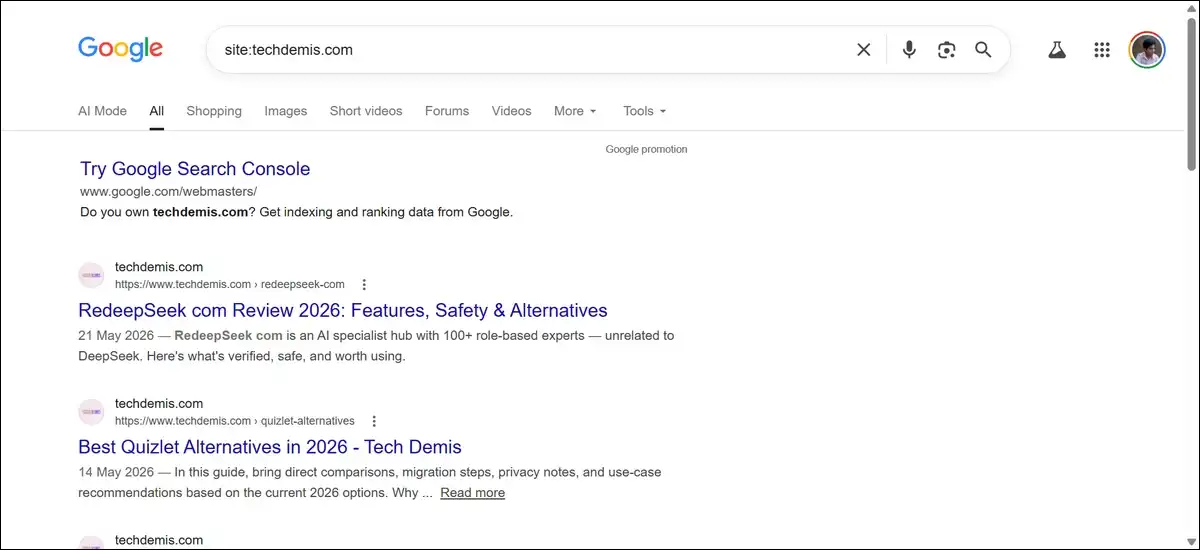
Guest post opportunities work with intitle:”write for us” OR intitle:”contribute” seo -site:competitor.com.
Internal linking targets use site:yourdomain.com “keyword phrase” -inurl:tag.
Academic or government sources respond to filetype:pdf “search operators” site:.edu OR site:.gov after:2024-01-01.
Plagiarism or duplicate checks rely on allintext:”exact paragraph text here”.
Title optimization research uses allintitle:seo checklist 2026.
You should know that parentheses often get ignored. So, write queries in linear form or test groupings directly. Wildcards (*) replace whole words only and work best in short phrases.
And query length matters too. Very long strings with many operators can trigger CAPTCHA or return zero results. Build in stages and review each addition.
What Breaks Operators in Practice?
Results could vary by context. Like personalisation, device, and Google’s current systems all could influence outcomes.
Here are some of them:
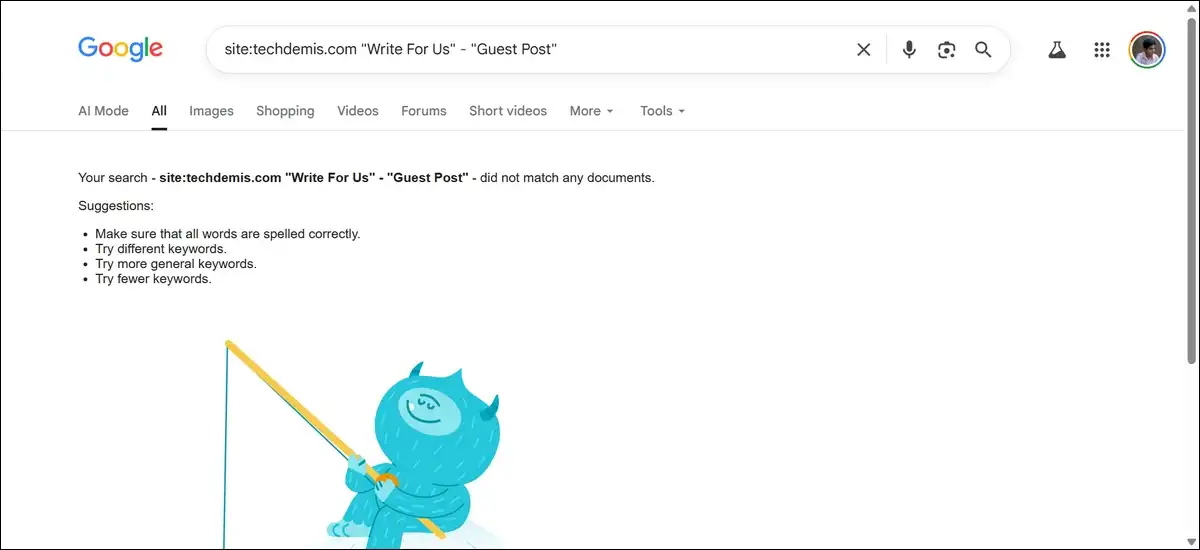
- Common failure points include spaces after the colon, where site: example.com fails.
- Over-filtering can produce zero results.
- Logged-in accounts sometimes show personalized results instead of neutral ones.
- The mobile app or voice search can hide advanced syntax.
- Large sites often return only a sample of pages under site:.
- AI Overviews may summarize content before traditional result lists load.
Though such issues can happen, simple workarounds exist to fix them.
- Run the same query in incognito mode.
- Test on desktop and mobile separately.
- Use shorter operator chains when results disappear.
- Cross-check important findings with Google Search Console or third-party crawlers.
How Do Operators Perform Alongside AI Overviews?
While Google AI Overviews generate summaries from multiple sources. Operators still help you reach the underlying pages.
You can use operators to find original documents, data tables, or dated content that AI summaries may reference. Date filters and filetype: commands bring primary sources quickly.
Here’s an example that shows how site:techdemis.com brings this AI overview:
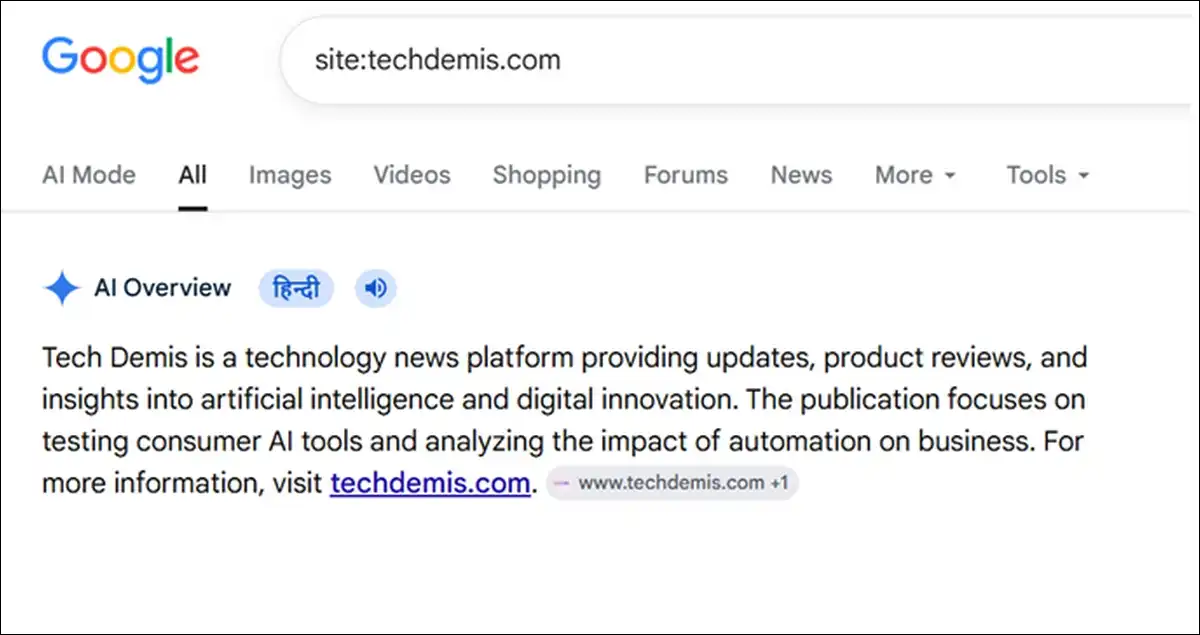
But some complex queries continue to trigger traditional result pages even when AI Overviews appear for simpler searches. Whereas others get folded into the generative answer.
So it is better to test your important queries both with and without operators. Note whether the sources you need appear in the AI summary or require the classic results view.
Operators do not break AI features; instead, they give you direct access to source material when you need to verify or cite specifics.
Which Workflows Deliver the Most Value?
Different professions use operators for different goals. The same commands solve multiple problems when combined thoughtfully.
SEO and technical audits benefit from site:yourdomain.com to check indexation. They also use site:yourdomain.com -inurl:https to find non-secure pages.
Site:yourdomain.com filetype:pdf helps locate indexed documents. Site:yourdomain.com intitle:old-brand spots title or URL issues.
Content research and gap analysis work well with intitle:resources OR intitle:”useful links” keyword to find resource pages.
Site:competitor.com after:2025-12-01 identifies recent competitor content. Filetype:pdf “keyword” site:.gov OR site:.edu after:2024-01-01 sources statistics with context.
Whereas competitive intelligence uses site:competitor.com after:2025-01-01 before:2026-01-01 to track publishing pace. Allintitle:review OR comparison keyword finds review or comparison pages. “Brand name” -site:yourdomain.com monitors brand mentions outside your own site.
Academic and fact-checking research uses filetype:pdf “exact claim” after:2023-01-01 to locate papers. Site:.edu OR site:.gov “statistic” keyword verifies data sources. Keyword before:2020-01-01 checks historical context.
Journalism and monitoring apply source:publication “topic” after:2026-01-01 for recent news from specific outlets. “Claim text” -site:low-quality-domain helps fact-check claims. Keyword after:2026-05-01 tracks developing stories.
Thus, each workflow benefits from starting broad, reviewing results, then tightening with additional operators.
What Tools Complement Operators in 2026?
Operators could work even better alongside other resources and tools.
- Google’s Advanced Search form provides a visual interface for many filters. It helps beginners learn syntax and serves as a backup when typed queries feel complex.
- Google Search Console supplies verified indexation and crawl data. Use it to confirm what site: reveals and to inspect specific URLs.
- Internet Archive’s Wayback Machine replaces the old cache: operator for historical page views. It often shows versions Google no longer stores.
- Third-party SEO platforms add scale. They crawl entire sites, estimate traffic, and filter results in ways operators cannot match alone. Use operators for quick checks and paid tools for systematic audits.
Overall, there’s no single tool that replaces careful judgment. Operators bring candidates, but you still evaluate quality and relevance.
What Does the Future Hold for Search Operators?
Google continues to adjust how search works. AI features may reduce the need for some syntax over time.
But precision tools remain valuable. When you need specific documents, dated content, or clean data sets, operators still cut through noise faster than natural language alone.
Expect more silent changes. Re-test important queries every few months. Keep notes on what works for your common tasks.
The core skill stays the same. Ask precise questions of the search engine and verify the answers you receive.
Frequently Asked Questions
Does the cache: operator still work in 2026?
No. Google scaled back the cache: operator in 2024. It no longer reliably shows stored page versions for most users.
Use the Internet Archive Wayback Machine for historical snapshots and Google Search Console URL Inspection for verified crawl data instead.
How do Google Search Operators interact with AI Overviews?
Operators help locate primary sources and dated documents that AI summaries may reference. Some complex operator queries still trigger traditional result lists.
Test important searches both with and without operators to see which sources appear clearly.
Why do some operators return zero results?
Over-filtering, personalization, device differences, or query length can cause zero results. Remove one operator at a time to diagnose the issue.
Test in incognito mode and on desktop versus mobile. Very long queries sometimes trigger CAPTCHA or simplified matching.
Do parentheses work for grouping terms?
Google often ignores or simplifies parentheses. Write queries in linear form or test groupings directly. Many effective combinations do not require them.
Which operators help most with SEO audits?
Site:, filetype:, intitle:, inurl:, and date filters deliver the highest value for indexation checks, document discovery, and competitor analysis.
Combine them with exclusion terms to refine results quickly and accurately.
Can I use operators on mobile or in the Google app?
Most operators work on mobile, but result presentation and AI Overviews can differ from desktop. Test important queries on both desktop and mobile.
Some advanced syntax shows less clearly in the app or during voice searches.
How often should I re-test operators?
Re-test key queries every few months. Google adjusts behavior without public announcements. Keep a short list of your most-used combinations and verify them periodically.
Are there differences between Google operators and other search engines?
Yes. Bing and DuckDuckGo support many of the same commands with slight variations in behavior. Always test on your target engine when research spans multiple platforms.